

Are you facing some issues with Winegard RV antenna troubleshooting? Testing and fixing your RV tv antenna is possible with the correct information.
In this blog post, we will provide you with a comprehensive guide on Winegard RV antenna with 6 solutions. You will learn how to identify common issues, diagnose them, and apply fixes such as resetting the amplifier, replacing the coaxial cable, and more.
Let’s get it started!
Winegard RV Antennas – A Basic Intro
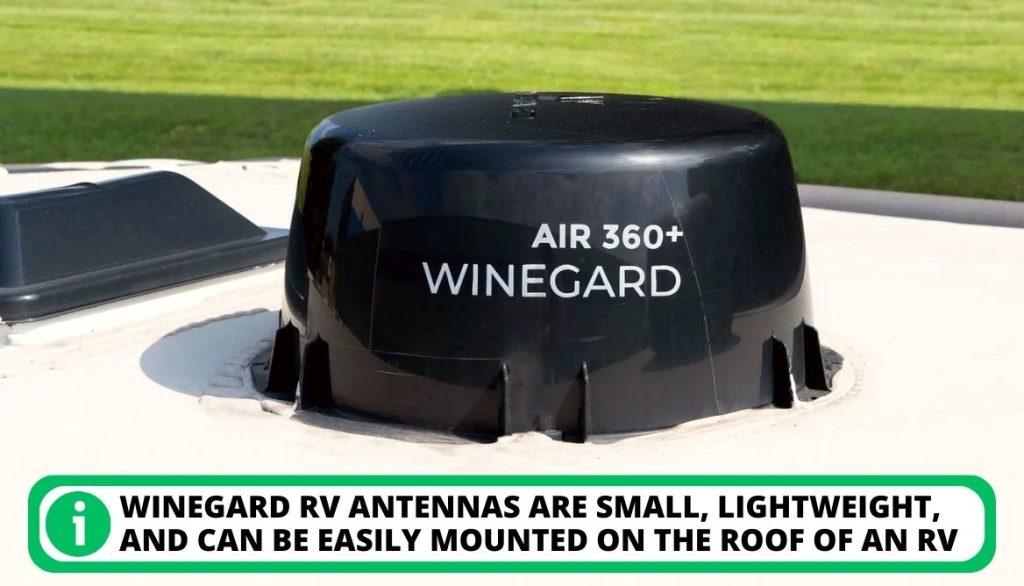
Winegard RV antennas are designed explicitly for RVers who need better TV reception while on the go. The antennas are small, lightweight, and can be easily mounted on the roof of an RV. They come in various models and are compatible with satellite, VHF, and UHF signals.
Working Procedure
The antennas receive digital signals and then broadcast them to your TV. This allows you to watch digital programming without using cable or satellite services. They can pick up national and international channels, such as ESPN and The Weather Channel.
Are These Antennas Any Good?
Winegard RV antennas have good quality and reputation:
[su_list icon=”icon: check” icon_color=”#00cf77″]
- They provide clear, consistent signal quality with minimal interference.
- They are also easy to set up and use.
- Many models come with a built-in amplifier that boosts the signal strength even more.
[/su_list]
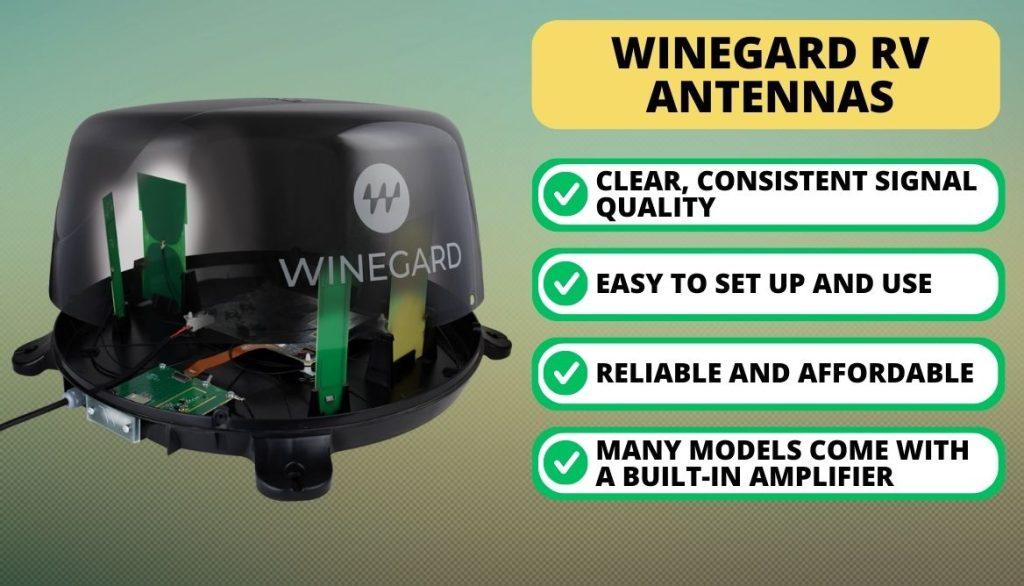
These RV antennas are an excellent choice for RVers looking for better TV reception while on the go. They are reliable, affordable, and provide a clear reception of various digital signals.
Mutual Winegard Antenna Problems
Having a working knowledge of Winegard antennas is crucial to troubleshooting any issues. They can be subject to various problems due to wear and tear, inclement weather, or improper installation.
The following table summarizes some common Winegard antenna problems and solutions.
[wptb id=3011004]1. Issues With the Receiver
A common issue with the Winegard Air 360 is a receiver problem. Even if the antenna is installed correctly, this issue can arise. This fault is mainly because many customers purchased the antennas after being introduced, but their receivers were already in use.
[su_box title=”Solution” style=”default” box_color=”#0CB964″]
Updating the firmware on the receiver is one of the most effective solutions to common issues with the Winegard Air 360. This process can be completed in two ways.
First Way
The first approach is accessing the options on the receiver and selecting the automatic firmware update.
[su_list icon=”icon: chevron-circle-right” icon_color=”#00cf77″]
- This can be done by navigating through the menu options.
- Next, select the “Firmware Update” or “Software Update” option.
- The receiver will then prompt you to accept any new updates.
- Once the update is installed, restart your receiver.
[/su_list]
Second Way
The second approach is manually installing the patch file by searching for updated firmware versions online. This issue can be done by:
[su_list icon=”icon: chevron-circle-right” icon_color=”#00cf77″]
- Going to the website of the manufacturer of your device.
- Locate your receiver model, and download its latest firmware patch file version.
- Unzip the file onto a USB drive or other storage device.
- Insert this into your receiver, and follow any instructions on the screen.
- Once complete, check that your receiver on the wall plate is now working correctly.
[/su_list]
[/su_box]
2. Poor Reception
This issue can lead to hazy visuals on the screen. It often rises due to the following:
[su_list icon=”icon: exclamation-circle” icon_color=”#f41449″]
- Low signal strength
- Loose connections
- Physical damage
- An obstructive object near the antenna, such as a tree or large building. It blocks the signal from being picked up properly.
[/su_list]
If you’re experiencing poor reception, before it’s fixed, you should check the connections and make sure everything is connected correctly.
[su_box title=”Solution” style=”default” box_color=”#0CB964″]
When troubleshooting any reception problems with your Winegard Air 360:
[su_list icon=”icon: chevron-circle-right” icon_color=”#00cf77″]
- Consider using an antenna booster to increase the signal strength and ensure steady reception.
- If the booster does not help, then it is likely that you need to adjust the wall plate of your antenna. This issue can be done by tweaking the horizontal and vertical settings and changing the height and angle of the antenna.
- What’s more, inspecting all parts of your antenna to ensure everything is connected correctly and functioning as expected is crucial.
[/su_list]
[/su_box]
3. Problems Related To Missing Channel
It can be incredibly frustrating for some users of the Winegard Air 360 when they notice that their signal is displayed but there are no available channels. This issue means that even though the antenna has picked up a movement, it cannot detect any channels in the user’s location.
This issue could be because of the distance from the broadcasting station or other environmental factors. Here are two ideal fixes for this problem:
[su_box title=”Solution #1: Cleanse Your Antenna” style=”default” box_color=”#0CB964″]
Winegard RV antennas are sometimes blocked by debris, preventing them from catching accessible channels:
[su_list icon=”icon: chevron-circle-right” icon_color=”#00cf77″]
- Keeping your antenna clean and dirt-free is essential to ensure it functions and power supplies properly.
- You can also lubricate the antenna’s components with silicone to ensure it operates optimally.
[/su_list]
[/su_box]
[su_box title=”Solution #2: Rotate Your Antenna” style=”default” box_color=”#0CB964″]
The TV antenna’s orientation directly impacts how well it works.
[su_list icon=”icon: chevron-circle-right” icon_color=”#00cf77″]
- It’s best to re-aim the antenna in a direction where it can easily pick up signals.
- Doing a 90-degree rotation might result in significantly more channels than before.
- This fact is because signals come in from different directions, and rotating the antenna will allow it to receive signals from all around it.
[/su_list]
[/su_box]
4. Signal Issue With Antenna
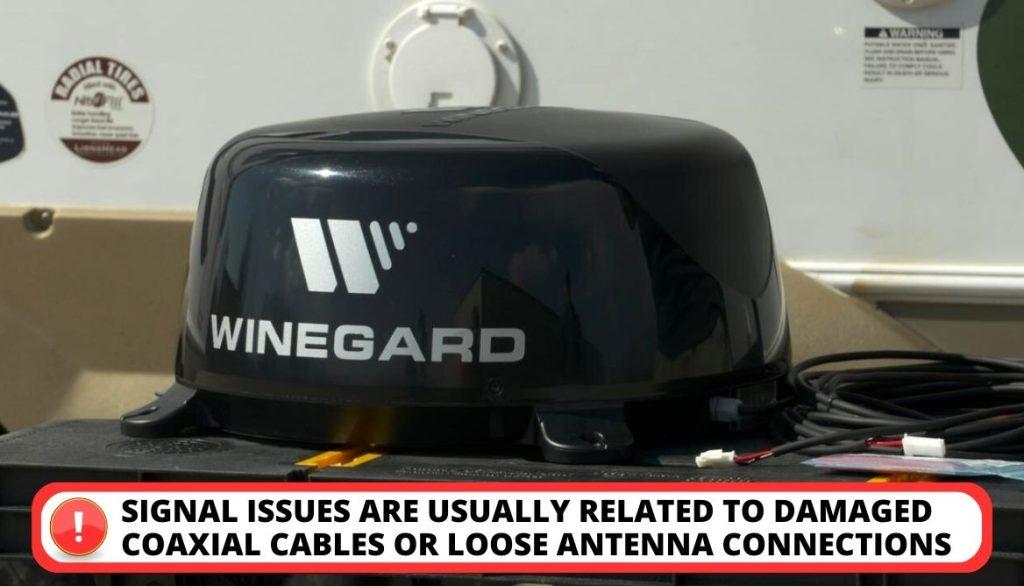
Many users of the Winegard Air 360 may have signal issues, which can be due to a variety of causes. The most common problems are usually related to damaged coaxial cables or loose antenna connections.
[su_box title=”Solution” style=”default” box_color=”#0CB964″]
Uses these easy solutions to solve this issue:
[su_list icon=”icon: chevron-circle-right” icon_color=”#00cf77″]
- Check the cables for any damage, such as fraying or corrosion, and replace them if necessary.
- Ensure the antenna is securely connected to the amplifier.
- Disconnecting and re-connecting the antenna head may improve its performance, so this issue should be tried if other troubleshooting methods fail.
- Moving the antenna to an area where fewer obstacles can obstruct the signal may be beneficial.
[/su_list]
[/su_box]
5. Installation Problem
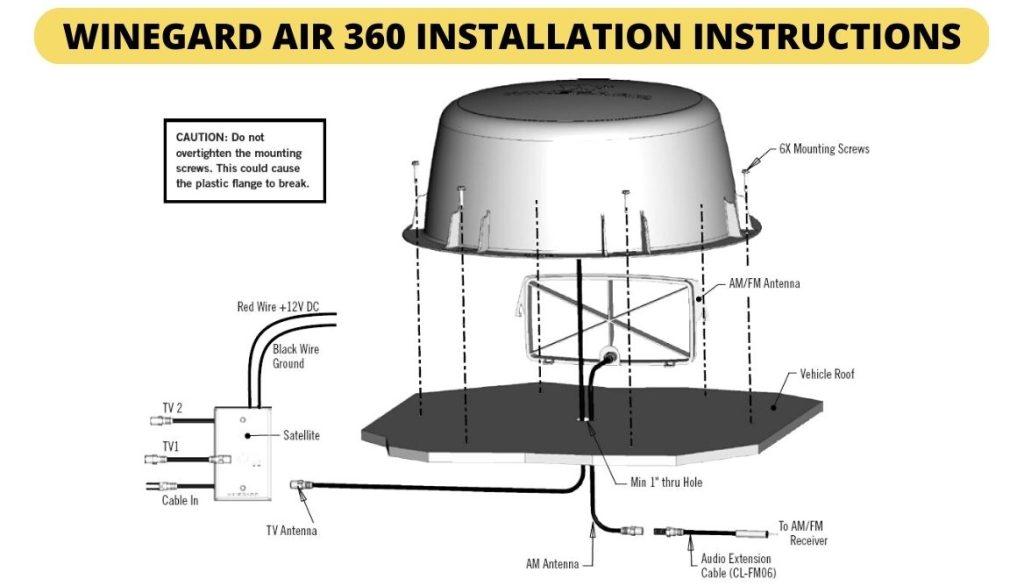
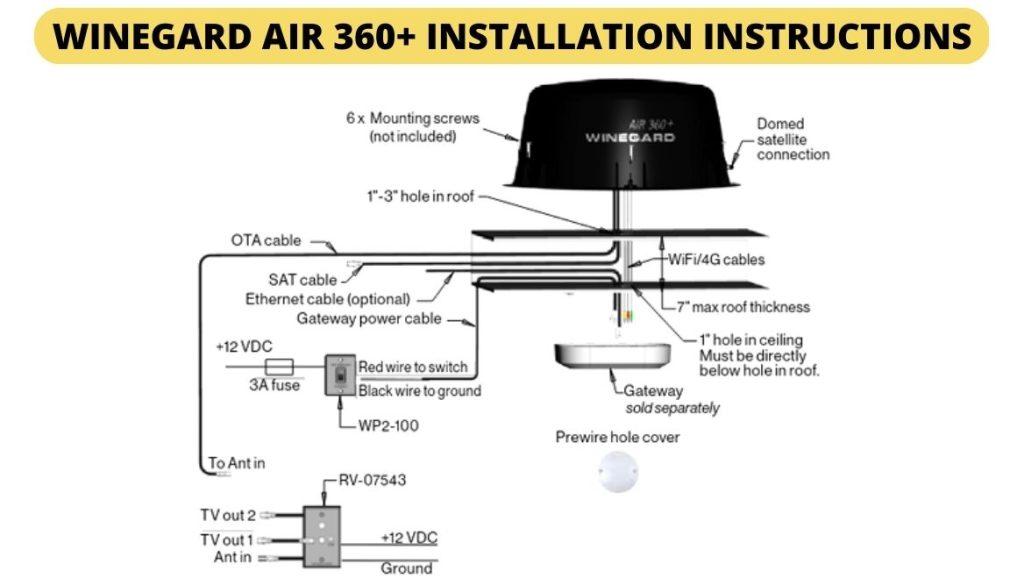
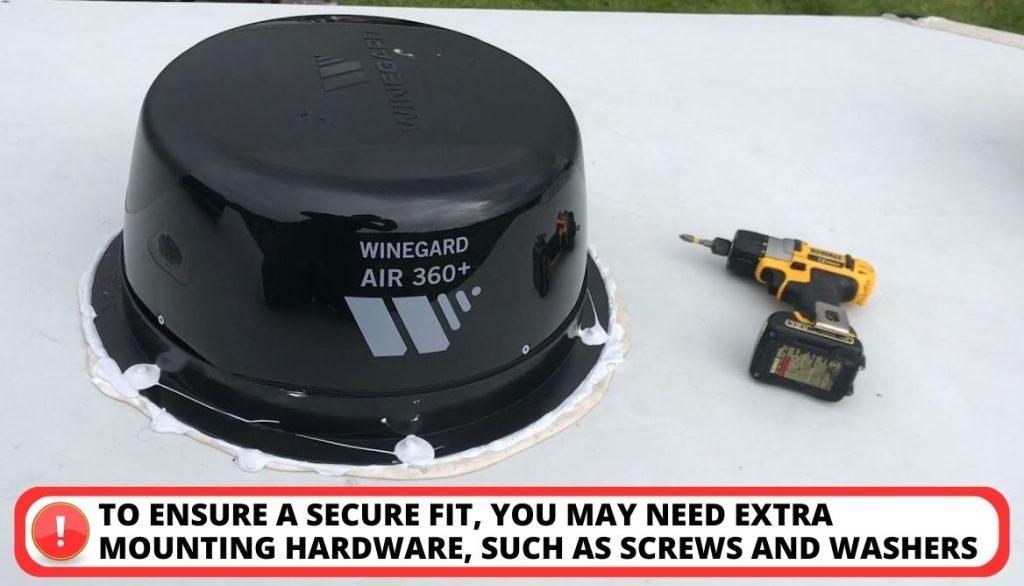
The Winegard Air 360 has a distinctive and elegant form, but some customers have difficulty attaching it. The thin and lightweight build makes connecting the antenna to the roof and walls hard. To ensure a secure fit, you may need extra mounting hardware, such as screws and washers.
[su_box title=”Solution” style=”default” box_color=”#0CB964″]
For those looking to install the common Winegard Air 360 antenna:
[su_list icon=”icon: chevron-circle-right” icon_color=”#00cf77″]
- The first step is to refer to the manual that comes with it. It contains detailed instructions on installing and configuring the antenna for optimal reception.
- If you need more information to help you install the antenna correctly, it may be best to consult a professional or RV vendor for further assistance.
[/su_list]
[/su_box]
6. Other Issues for Antenna
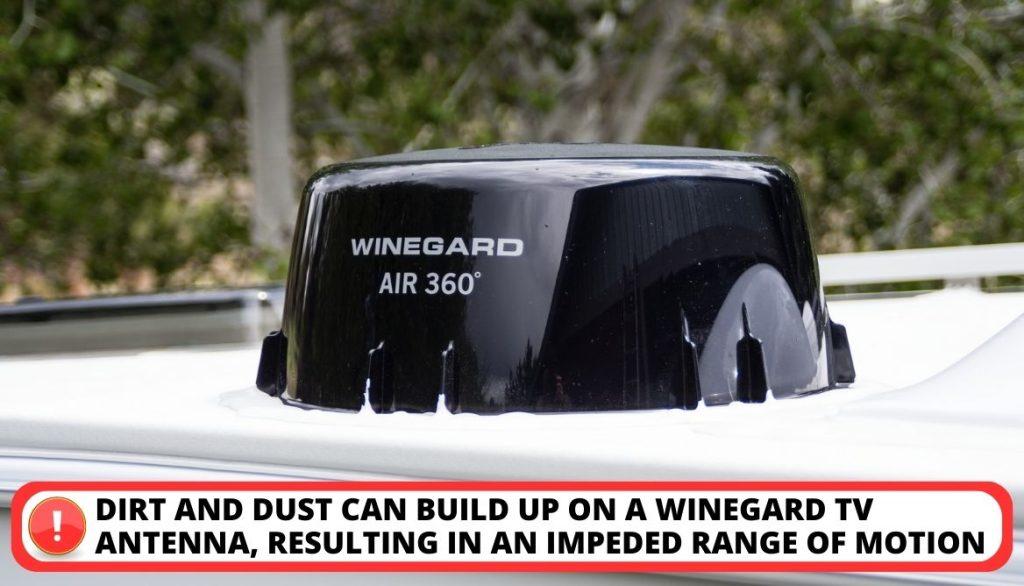
It’s important to remember that dirt and dust can build up on a Winegard TV antenna, resulting in an impeded range of motion. This issue can be especially problematic when the antenna is located outside.
What’s more, specific components such as screws, bolts, and nuts can significantly impact the antenna’s operation and signal range. Over-tightening the screws during the installation process can disrupt the antenna’s operation.
[su_box title=”Solution” style=”default” box_color=”#0CB964″]
When it comes to troubleshootingantenna problems, the first step is to identify the component that is causing difficulty.
[su_list icon=”icon: chevron-circle-right” icon_color=”#00cf77″]
- If troubleshooting techniques do not resolve the issue, it may be due to broken or dead equipment.
- In this case, you should contact Winegard’s warranty service, and their support personnel will be able to provide a solution.
- Also, if you are in an RV and have difficulty getting a TV signal, consider purchasing a more powerful antenna. This issue should improve your ability to receive TV signals while traveling.
[/su_list]
[/su_box]
Customers’ Feedback On This RV TV Antenna
The Winegard Air 360 is a popular choice for RV and is an all-in-one solution with an overall rating of 4.3 out of 5 on Amazon. Many customers have found this an excellent solution for RV and have given it glowing reviews:
[su_list icon=”icon: check” icon_color=”#00cf77″]
- One customer wrote, “It is a way better upgrade for old antennas. They are very easy to install with many available channels.”
- Others have noted that the signal strength was excellent even in remote locations, allowing them to watch their favorite shows or movies anywhere they go.
[/su_list]
All in all, purchasers are pleased with the performance and reliability of the Winegard Air 360 antenna, making it an excellent option for Rvers looking for a reliable and versatile antenna system.
A Few Additional Fixes for Winegard TV Signal Antenna Head
Let’s take a look at a few additional solutions for this antenna.
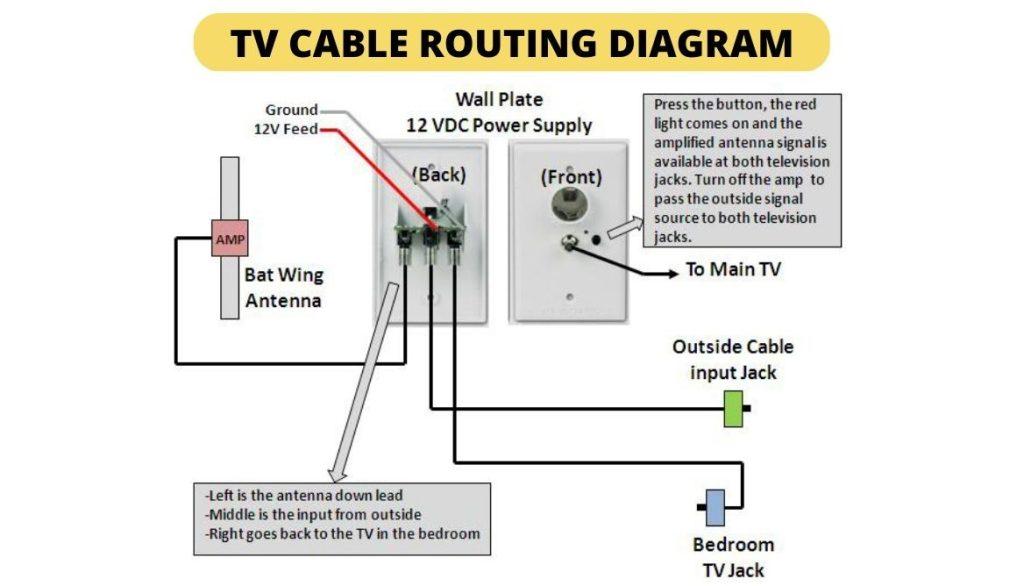
1. Check The Booster And Wall Plate
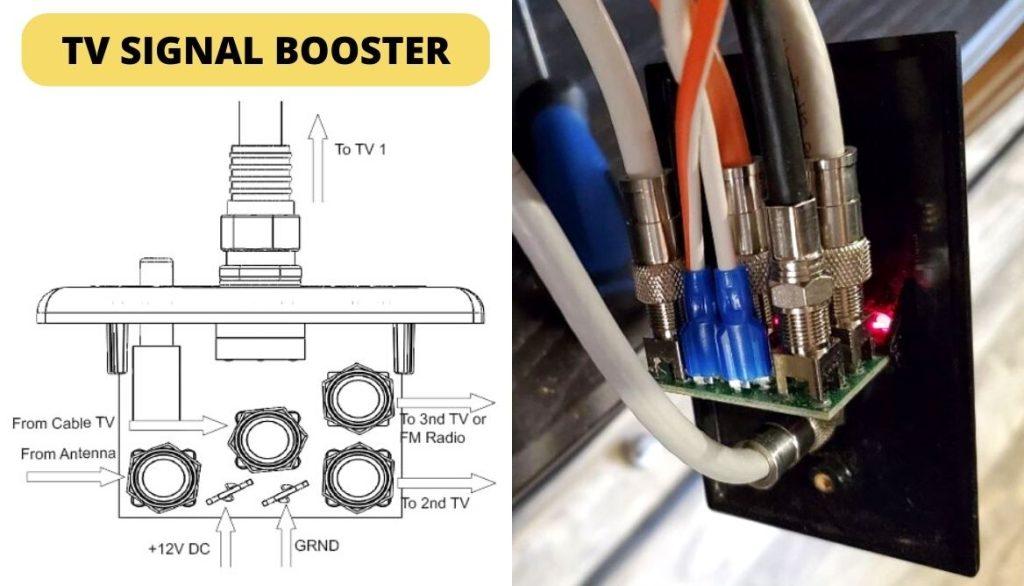
Having an RV antenna can sometimes cause signal problems. The best way to avoid this issue is by installing a booster. This will not only help you receive more channels than usual but also ensure that there are no issues with reception.
[su_box title=”Solution” style=”default” box_color=”#0CB964″]
If you ever encounter any disturbance while using your antenna, it is important to check the booster and wall plate. This is usually the first thing that needs to be done when dealing with any issues related to the antenna.
[/su_box]
2. Examine The Coaxial Cables
When troubleshooting your antenna connection it is vital to check the coaxial cables. Corroded or disconnected wires can lead to improper functioning of the antenna. If the connection is loose, corrosion, or damage has occurred, it should be repaired or replaced.
[su_box title=”Solution” style=”default” box_color=”#0CB964″]
If you’re having issues with your tv antenna, the most common cause of the problem is loose contact.
[su_list icon=”icon: chevron-circle-right” icon_color=”#00cf77″]
- Use a voltmeter to assess the cables to ensure your connection is secure and working correctly. If the reading comes in at 12V, it’s a sign that the cable is working smoothly.
- Ensure the connections between the receiver and the cable are secure.
- Check if damaged cable or poor-quality coaxial cable.
[/su_list]
[/su_box]
Take assistance from below video tutorial:
3. Lubricate Your Winegard Antenna
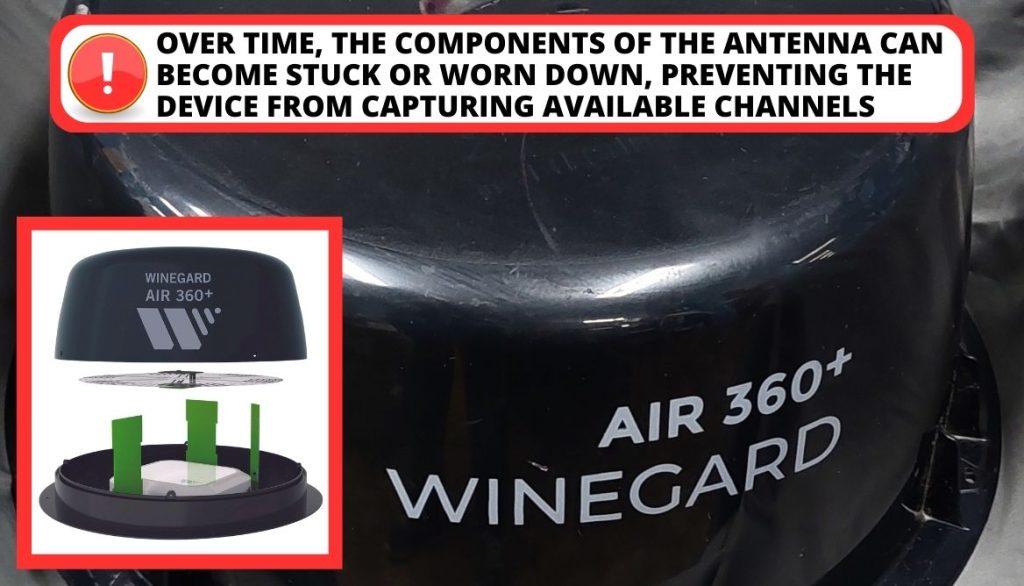
If your Winegard antenna is not rotating correctly or seems stuck, it could be due to excessive use. Over time, the components of the antenna can become stuck or worn down, preventing the device from capturing available channels.
[su_box title=”Solution” style=”default” box_color=”#0CB964″]
Lubricating the components of your Winegard antenna on a loose connection is the best solution to any issues it may be having:
[su_list icon=”icon: chevron-circle-right” icon_color=”#00cf77″]
- Grease the elevating crank, gear housing, base plate, and rubber quad ring to keep them in proper working order.
- Make sure to apply the silicone in a thin layer to all the moving parts and joints of the antenna.
- When lubricating, use a silicone-based lubricant or WD-40.
[/su_list]
[/su_box]
Below YouTube video can be helpful for you to solve this problem:
How Do You Test a Winegard RV Antenna?
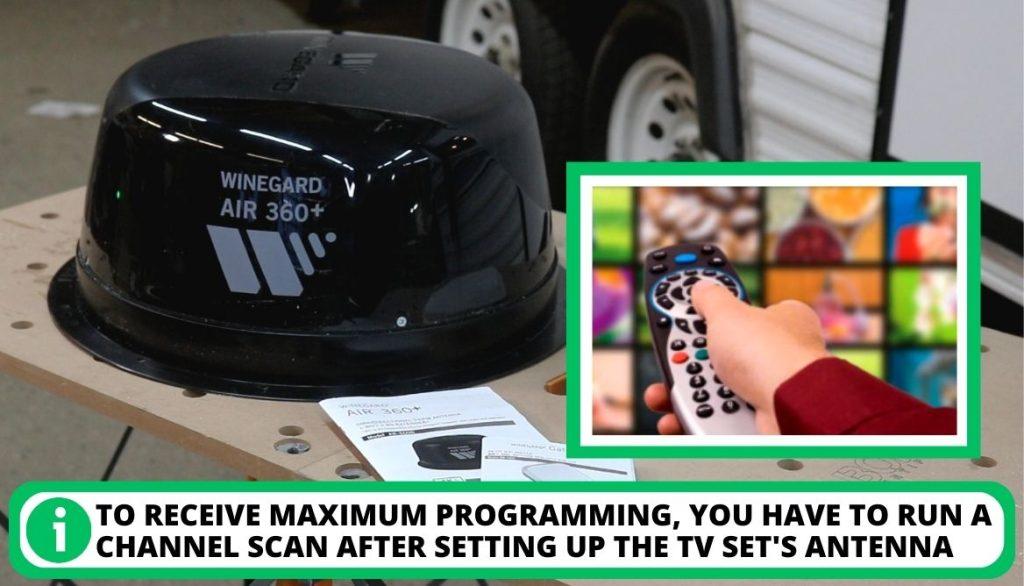
Testing a Winegard RV’s Antenna is easy once it is set up correctly. Depending on your television or compatible device, the steps for running a channel scan may vary, but the process is similar for most TVs.
[su_list icon=”icon: check” icon_color=”#00cf77″]
- Select ‘Menu’ and then ‘Settings’ using the television remote.
- From there, choose ‘Antenna’ or ‘Air,’ not ‘Cable.’
- It’s important to note that running a channel scan differs from pressing Channel UP/DOWN on the remote.
- You must also make sure that your TV is set up correctly and look at the correct views.
- Also, be sure to check the amplifier on the wall plate if you have no reception.
- To receive maximum programming, you have to run a channel scan after setting up the tv set’s antenna.
[/su_list]
FAQs
Why is my RV antenna not picking up channels?
How do you test a Winegard antenna?
How do I reset my Winegard antenna?
How do I get my Winegard antenna to work?
Why is my antenna not picking up the signal?
Conclusion
A Winegard RV antenna can be great for on-the-go entertainment, but troubleshooting can be necessary sometimes. We hope this guide can help you resolve all your problems quickly so that you can enjoy your favorite shows.
If all else listed above fails please contact the company to make your antenna runs correctly. Which problem do you find the hardest to solve about this tv antenna? Please tell us in the comments below. Thanks!