

While on an adventure, DISH Tailgater problems can be pretty annoying. For example, you may be unable to watch your favorite entertainment programs when the device fails to locate satellites.
By the end of this article, you will better understand how to troubleshoot any issues with your DISH Tailgater and continue to enjoy seamless entertainment on the go.
An Overview of DISH Tailgater
Any mobile user, such as RVers, sports and outdoor enthusiasts, tailgaters, long-haul truckers, or anyone with a busy nomadic lifestyle, will find the DISH Tailgater ideal. You can travel with your DISH satellite TV service.
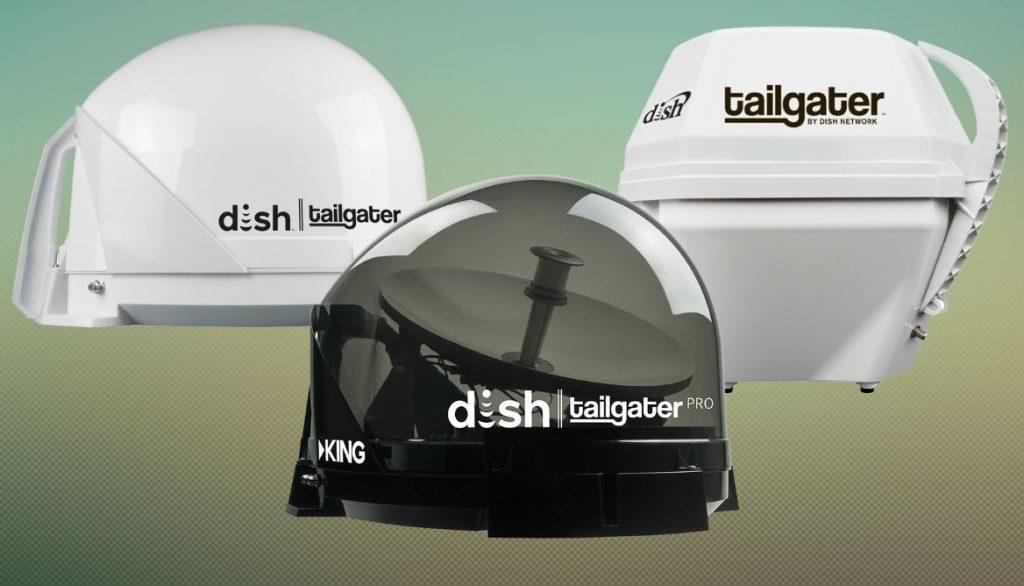
It allows users in the Upper Northeast to view eastern and western arc satellites when paired with a Wally receiver. This device can be mounted permanently to the roof of your vehicle or used as a portable antenna. Only stationary use is required for the Tailgater Pro.
Specifications of a DISH Tailgater
[wptb id=3010732]Common Issues with DISH Tailgater and Their Solutions
The DISH Tailgater problems can vary. The satellite antenna issues are related to the following:
[su_list icon=”icon: exclamation-circle” icon_color=”#f41449″]
- Signal loss
- Incorrect satellite setup
- Faulty DISH tailgater
[/su_list]
They can be resolved by:
[su_list icon=”icon: check” icon_color=”#00cf77″]
- Checking cable connections
- Ensuring the antenna has a clear view of the sky
- Consider purchasing a new Tailgater
[/su_list]
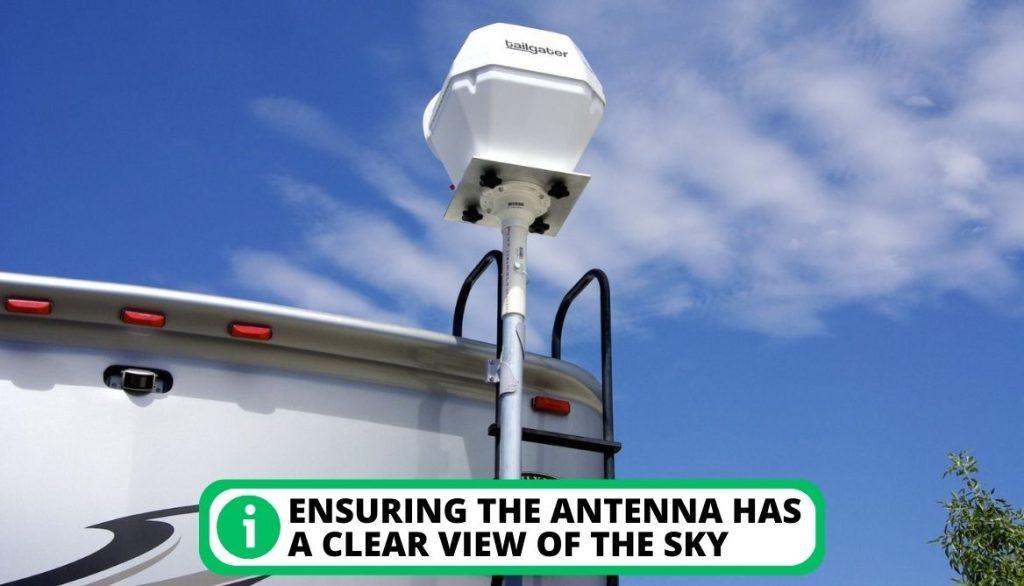
Additionally, using a signal strength meter or contacting DISH outdoor support team can help diagnose and resolve any other potential connection issues.
Inability to Receive Satellite Signal From Southern Sky
A possible reason for DISH Tailgater not picking up satellite signals is if the device is located in an area with obstructions, such as trees or buildings blocking the satellite signal.
[su_box title=”Recommended Fix” style=”default” box_color=”#0CB964″]
Your location might cause any sudden signal loss from your DISH Tailgater satellite. Fixing your satellite signal requires the following steps:
[su_list icon=”icon: chevron-circle-right” icon_color=”#00cf77″]
- Try moving the Tailgater to a location with a clear line of sight to the southern sky.
- Ensure that all cables are securely connected and not have damaged wires.
- Additionally, you can check the satellite signal strength on your receiver to ensure that it is strong enough for the Tailgater to pick up.
[/su_list]
[/su_box]
Misalignment of the DISH Satellite
When the DISH becomes loose, it can no longer receive satellite signals, causing interruptions in your viewing experience. This problem can occur for various reasons, such as strong winds or improper installation.
[su_box title=”Recommended Fix” style=”default” box_color=”#0CB964″]
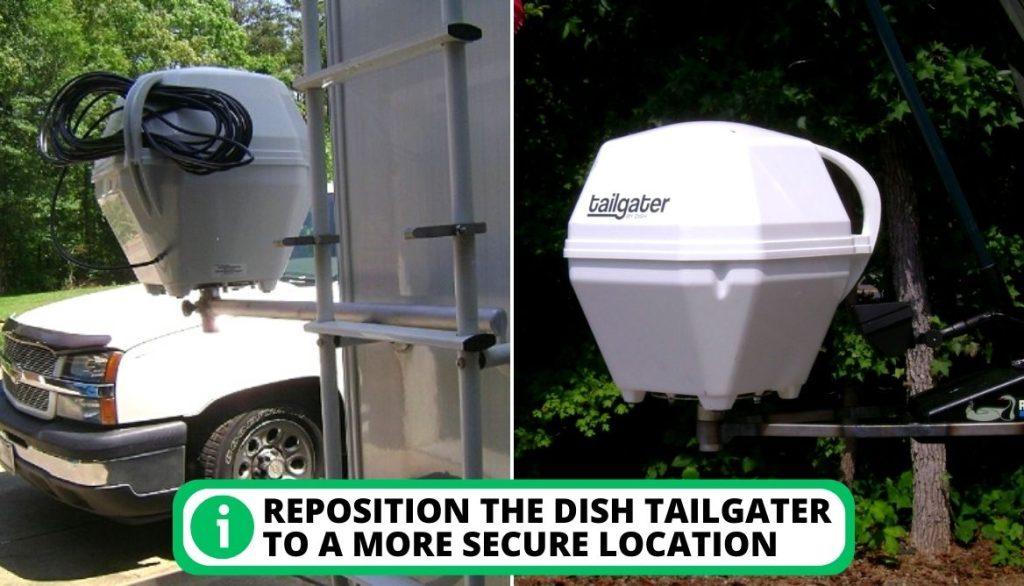
A loose DISH Tailgater may necessitate the purchase of a new device. Your Tailgater’s ability to stay inside your RV should be your last concern while driving. If your DISH Tailgater begins to sway while you driving, take the following actions.
[su_list icon=”icon: chevron-circle-right” icon_color=”#00cf77″]
- Check the alignment of the dish.
- Tighten the DISH’s mounting bolts.
- Reposition the DISH Tailgater to a more secure location.
- Contact the DISH Outdoor support team if the issue persists.
[/su_list]
[/su_box]
Incorrect Configuration
This can prevent the Tailgater from picking up satellite signals, leading to a frustrating and disappointing experience for the user. Proper setup is crucial for the Tailgater to function correctly, and any mistakes in the setup process can lead to many problems.
[su_box title=”Recommended Fix” style=”default” box_color=”#0CB964″]
Try turning on your device to see if you set it up incorrectly. If issues arise immediately, they might be brought on by a broken device or a bad configuration. To fix an incorrect configuration, you can:
[su_list icon=”icon: chevron-circle-right” icon_color=”#00cf77″]
- Double-check the setup instructions and ensure that all connections are secure.
- Check the receiver settings and ensure that they are correct.
- Confirm that your receiver is compatible with your Tailgater.
- Check for damage to the coax cable connecting the Tailgater to the receiver.
[/su_list]
[/su_box]
The DISH Tailgater is Malfunctioning
When the Tailgater becomes faulty, it can no longer function properly and may not pick up satellite signals, leading to disruptions in TV viewing.
Many people experience technical issues even when they purchase brand-new ones. However, depending on the DISH company you purchased from, you could get a replacement or a refund.
[su_box title=”Recommended Fix” style=”default” box_color=”#0CB964″]
Verify whether your warranty is still in effect. You’ll need to contact customer service because it’s unlikely that you can fix it yourself. Additionally, you should:
[su_list icon=”icon: chevron-circle-right” icon_color=”#00cf77″]
- Check for any visible damage to the DISH Tailgater.
- Consider purchasing a new Tailgater.
- Check if the Tailgater is still under warranty for a free replacement or repair.
- Contact customer support and explain the problem.
[/su_list]
[/su_box]

Defective Cables
Damaged cables can lead to signal loss, making watching television impossible. A variety of factors can cause this problem:
[su_list icon=”icon: exclamation-circle” icon_color=”#f41449″]
- Wear and tear
- Exposure to extreme weather conditions
- Accidental damage
[/su_list]
[su_box title=”Recommended Fix” style=”default” box_color=”#0CB964″]
Follow the steps listed below to fix your DISH Tailgater cable.
[su_list icon=”icon: chevron-circle-right” icon_color=”#00cf77″]
- Check for visible signs of damage on the coax cable.
- Replace the damaged cable with a new one.
- Ensure that the cables are connected securely.
[/su_list]
[/su_box]
Causes of DISH Tailgater Failing to Detect Satellite Signals
DISH Tailgater may fail to locate satellites, resulting in no signal. However, it seems that the newer satellite dishes have upgraded technology.
According to DISH’s website, the newer models come with OS2.1 technology for better nationwide coverage. It seems to work with eastern and western arc satellites to provide a strong signal no matter where you are.
Barriers in the Tailgater’s Field of View
A common problem can make locating satellites difficult for the DISH Tailgater. This occurs when there are physical obstructions such as trees, buildings, or other objects in the path of the Tailgater and the satellite.

Incorrect or Loose Coax Cable Connection
A faulty coax cable is a common cause of the DISH Tailgater’s inability to locate satellites. This can happen if the cable is damaged, loose, or improperly connected to the DISH receiver or antenna manufacturer, the Tailgater.
Defective Device
When the device is damaged, it may not be able to communicate with the satellites, leading to a complete or partial signal loss. If the Tailgater unit itself is malfunctioning, it may not be able to connect with the satellite and locate the signal properly. This can happen because of:
[su_list icon=”icon: exclamation-circle” icon_color=”#f41449″]
- Hardware malfunction
- Software issue
- Outdated firmware version
[/su_list]
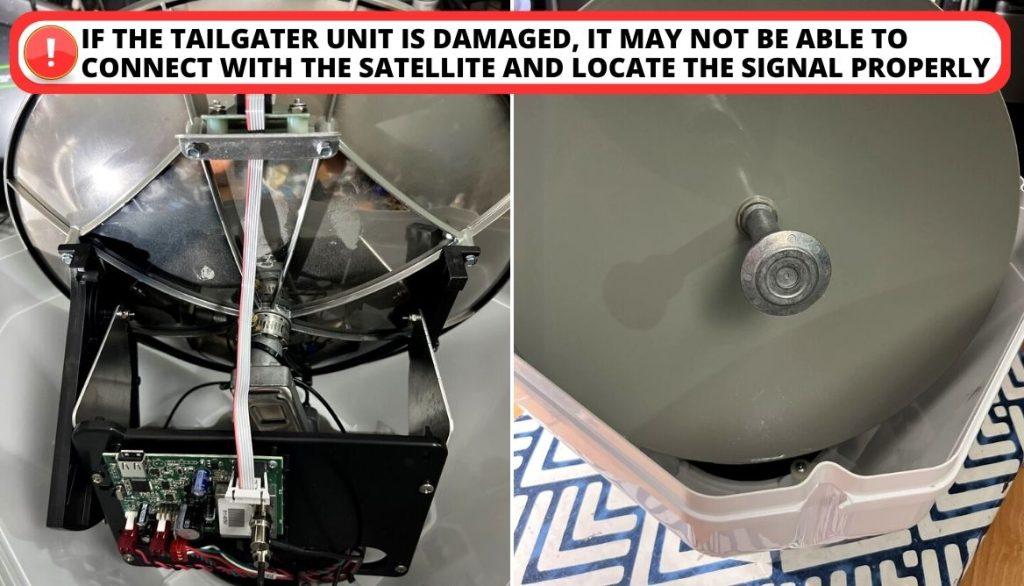
Signal Interruption Levels: Partial and Total Loss
The term “partial signal loss” refers to low signal strength, resulting in reduced picture quality. Complete signal loss occurs when there is no signal, resulting in no picture or sound.
Resolving Satellite Connectivity Issues With DISH Tailgater
Identifying and addressing the most common issues is the first step in resolving DISH Tailgater satellite finding problems. Understanding the root causes allows users to take the necessary steps. This resolves them and ensures that their DISH Tailgater operates at peak performance.
Inspect Cables for Any Signs of Damage
If you suspect your cables are damaged, you can do the following:
[su_list icon=”icon: chevron-circle-right” icon_color=”#00cf77″]
- Check that the cable between your receiver and the Tailgater is connected properly.
- Unplug your receiver’s power cord for a few minutes to allow the power supply to dissipate entirely. It may take up to 5 minutes for your receiver to power back on.
- Make sure to inspect all of the cables that connect to the Tailgater and the receiver for visible damage, such as cuts or frayed wires.
- Replace damaged cables with new ones to ensure a strong and clear signal.
[/su_list]
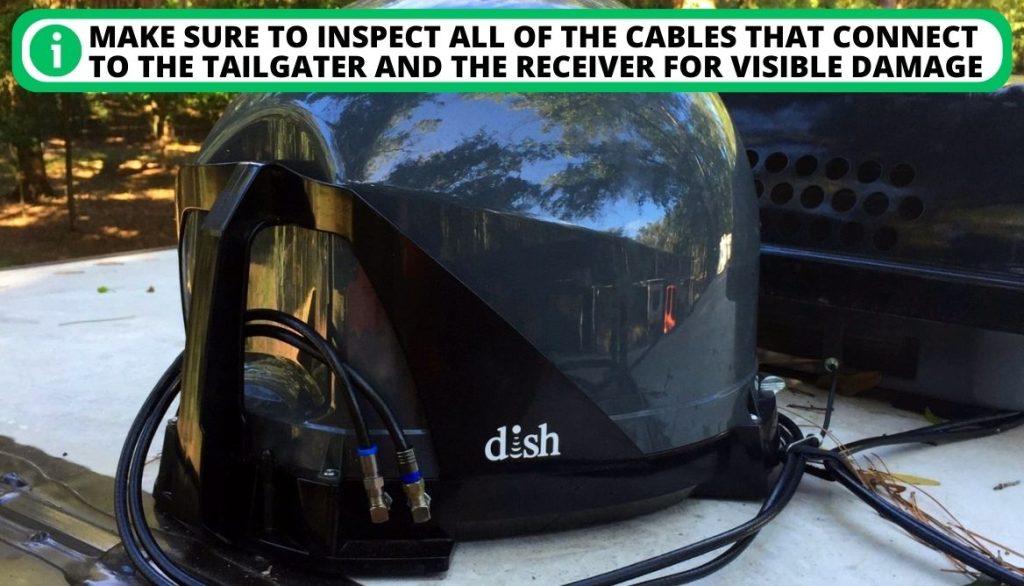
Your DISH Tailgater won’t locate satellites even if only one wire is damaged. Make the device functional again by reconnecting the broken cable.
Reboot Your DISH Receiver
Rebooting your DISH receiver is a simple solution that can often resolve connectivity issues.
[su_list icon=”icon: check” icon_color=”#00cf77″]
- Unplug your receiver from the power supply
- Wait 10-15 seconds before plugging it back in
[/su_list]
This will restart and reconnect your receiver to your DISH Tailgater, hopefully resolving any issues preventing it from finding satellites. If this does not work, contact customer support.
Make Sure the Signal Path is Unobstructed
The antennas usually look for the Western Arc satellites. These satellites are found above the equator. In case of obstruction:
[su_list icon=”icon: chevron-circle-right” icon_color=”#00cf77″]
- Relocate your Tailgater to an area with a clear view of the sky and away from obstructions.
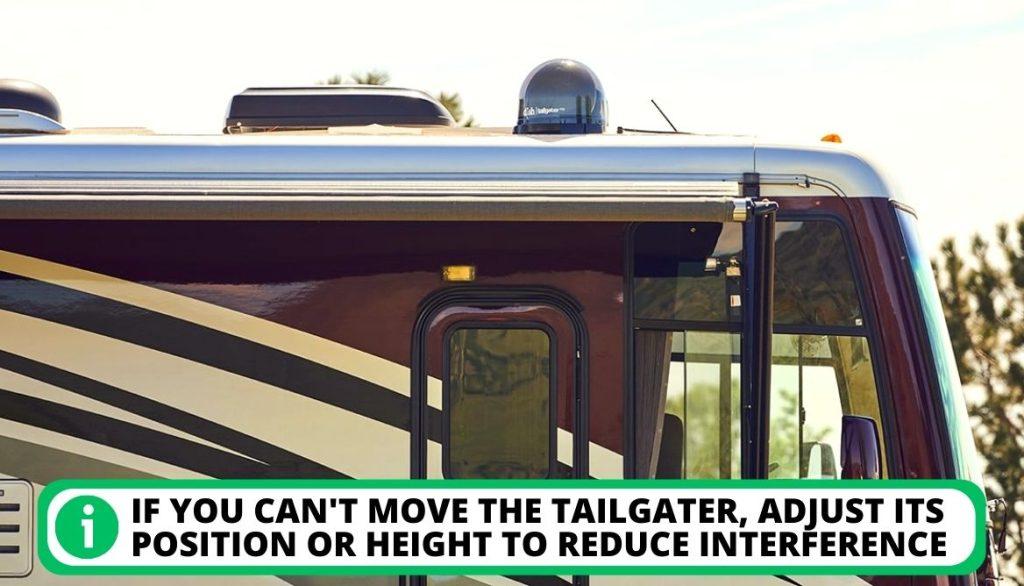
- If you can’t move the Tailgater, adjust its position or height to reduce interference.
- Also, ensure there are no other electronic devices or sources of interference in the vicinity.
[/su_list]
Extreme Weather in Your Area
Anytime it is raining or bad weather, your DISH satellite may experience a partial or complete signal loss. You are advised to:
[su_list icon=”icon: check” icon_color=”#00cf77″]
- Wait for the severe weather to pass before attempting to use the device again.
- To prevent damage to your DISH Tailgater, you can also try moving it to a more secure location or covering it with a weather-resistant cover.
[/su_list]
Reposition Your Dish Tailgater
If the Tailgater system cannot find a satellite signal, reposition it to a different location.
[su_list icon=”icon: chevron-circle-right” icon_color=”#00cf77″]
- Ensure that there are no obstructions and that the smooth surface of the antenna is level.
- Install it in the correct position in a spot where you won’t need to move it frequently.
- Be sure it is pointed toward the southern sky.
[/su_list]
Reauthorize Service
If you haven’t used your DISH Tailgater in over 14 days, the hardware and programming must be authorized again. Consider this option if you are only receiving PPV and DISH promotional channels.
[su_list icon=”icon: check” icon_color=”#00cf77″]
- Make sure you have the DISH outdoor system configured and that you can receive satellite signals.
- Register for a DISH account.
- Choose DISH Outdoors.
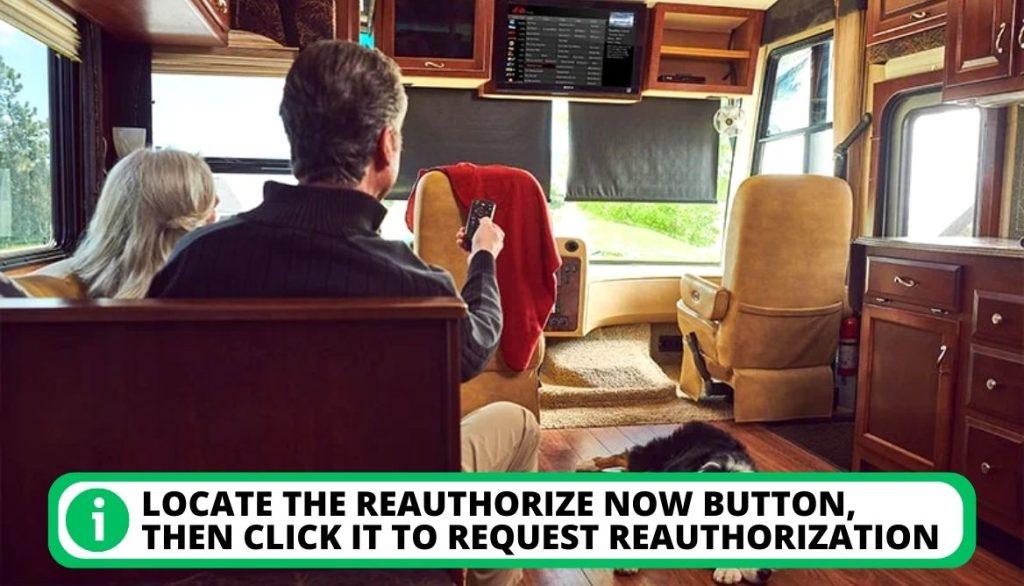
- Locate the Reauthorize Now button, then click it to request reauthorization.
[/su_list]
The reauthorization procedure should take no less than five minutes to complete. Your service will be interrupted while the reauthorization is done, but it should resume once finished.
Contacting DISH Support
Call DISH support, and they will run through some diagnostics. You must be patient with this:
[su_list icon=”icon: chevron-circle-right” icon_color=”#00cf77″]
- If you have a new DISH account, you probably have six months of free DISH Protect, which will replace inadequate equipment, even if you own it.
- However, even if you are certain that there are no obstacles, you might still experience problems.
- It is probably best, in this case, to get in touch with your antenna manufacturer or the DISH Outdoor support team. You can contact DISH Outdoor Technical Support Team, King Controls, to assist you.
[/su_list]
FAQ
How do I reset my DISH Tailgater?
Does DISH Tailgater still work?
In what direction do I point my DISH Tailgater?
How do I get my DISH Tailgater to work?
What do you need for DISH Tailgater?
Conclusion
DISH Tailgater is a great device for those who enjoy tailgating or spending time outdoors, but like any device, it can experience issues. Always double-check the specifications and parameters to ensure proper setup. Refer to the manufacturer’s website or Amazon reviews for additional information.
What other common issues have you faced, and how did you fix them? Leave a comment below and let us know.